
What you need before you start
- •1 photo of one person or one pet: JPG, PNG or WebP, up to 20 MB.
- •A Google account to sign in.
- •Credits: a 14-second 720P video uses 112 credits; the HD pack is 120 credits for $7.99. There is no free trial.
Step-by-step: make the video
1Upload 1 photo
Open the generator and tap the photo slot. Use a sharp, front-facing, waist-up photo with only one face. You keep your own clothes in the video.
2Pick 1 of 12 choirs
Classic robes, pet choir, skeletons, cats, dogs, pumpkin heads, angels, penguins, frogs, teddy bears, green aliens or grandmas. Each choir has its own fixed scene, so there is no prompt to type.
3Choose 9:16 or 16:9
9:16 portrait fills the screen on TikTok, Reels and Shorts. 16:9 landscape matches the original music video and suits YouTube and X. Both cost the same.
4Pick a quality and press Generate
480P uses 56 credits, 720P uses 112 and 1080P uses 224 for 14 seconds. Rendering usually takes a few minutes; you can close the page and come back.
5Download the MP4
Your clip appears in the result card and in My videos. It is 14 seconds long, has the original choir audio with a fade-out, and has no watermark.
Settings at a glance
| Setting | Options | Pick this when |
|---|---|---|
| Photo | 1 photo, JPG / PNG / WebP, ≤ 20 MB | One clear face or one pet, no sunglasses |
| Choir | 12 fixed choirs | Classic for the original look, pet choir for an animal in the middle |
| Format | 9:16 portrait or 16:9 landscape | 9:16 for TikTok, Reels, Shorts; 16:9 for YouTube, X |
| Quality | 480P (56) · 720P (112) · 1080P (224 credits) | 720P is the usual choice for phones |
| Length | 14 seconds, fixed | Matches the choir ending of the song |
| Audio | Original song, always on | Keep it, or mute it in your editor |
me standing still while the whole choir goes off Classic robes
he did not join the choir Pet choir
the skeletons started singing. I didn't Skeletons
Post it on TikTok
1Upload the MP4
Post the downloaded file as a normal video. A 9:16 clip needs no cropping.
2Keep the sound
The original choir audio is already in the file. You can also tag the “Closed on Sunday” sound so the clip shows up on that sound’s page.
3Caption the contrast
For example “me at the family reunion when they start singing” or “my dog refusing to join the choir”, plus #closedonsunday #closedonsundayai.
Edit it in CapCut (optional)
The MP4 works in CapCut and any other editor like a normal video. Common edits: add a text caption over the first seconds, put the original music video clip above yours as a side-by-side “original vs me”, or cut two of your choir videos together (for example you, then your dog). If you add a different sound, mute the clip’s own audio first so the two do not overlap.
If something goes wrong
| Problem | Fix |
|---|---|
| Face does not look like you | Use a sharper, front-facing photo with window light and no filters. |
| Two people in the photo | Crop to one person; the centre spot holds one subject. |
| Wrong framing for your platform | Make it again in the other format: 9:16 for phones, 16:9 for widescreen. |
| Render failed | The credits go back to your balance automatically. Try again or use another photo. |
FAQ
How do I make the Closed on Sunday AI video with my face?
+
Upload one clear selfie in the generator, pick a choir and 9:16 or 16:9, then press Generate. You get a 14-second MP4 with you standing still in the centre of the choir.
How long does it take?
+
Usually a few minutes. You can close the page; the finished clip waits in My videos.
How much does one video cost?
+
A 14-second 720P video uses 112 credits. The HD pack is 120 credits for $7.99. 480P uses 56 credits and 1080P uses 224.
Is there a CapCut template for Closed on Sunday?
+
This site is not a CapCut template; it renders the whole video for you from one photo. You can still open the MP4 in CapCut to add captions or combine clips.
Does the video already have the song?
+
Yes. Every clip carries the original choir section from the end of the music video, trimmed to 14 seconds with a fade-out.
Is this site affiliated with Kanye West?
+
No. Closed on Sunday AI is an independent fan tool. It is not affiliated with, endorsed by or connected to Kanye West (Ye), Sunday Service, GOOD Music, Def Jam or any label.
Can I use a photo of someone else?
+
Only if you own the photo or have permission from the person in it. Use yourself, your own pet or a friend who agreed; do not upload celebrities or strangers.
Good to know
- Independent fan tool. Closed on Sunday AI is not affiliated with or endorsed by Kanye West (Ye), Sunday Service, GOOD Music, Def Jam or any label.
- Your photo rights. Only upload photos you own or have permission to use. Photos are used only to make your clip.
- Original song, generated picture. The audio is the choir section from the end of the music video; every frame of the picture is AI-generated.
- AI results vary. Likeness, crowd movement and framing can differ between runs. The samples on this page are 5-second illustrations; your video is 14 seconds.
Keep reading
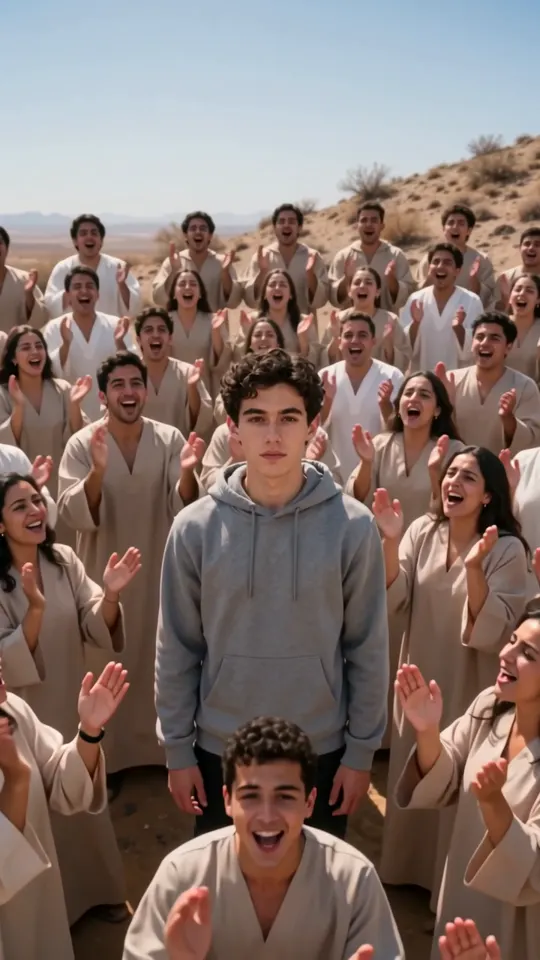 BlogThe Closed on Sunday AI Trend, ExplainedWhere the choir shot comes from, the dates behind it and why the stillness joke works.GeneratorClosed on Sunday Choir AI GeneratorThe choir generator: 12 choirs, what each looks like and how the scene moves.
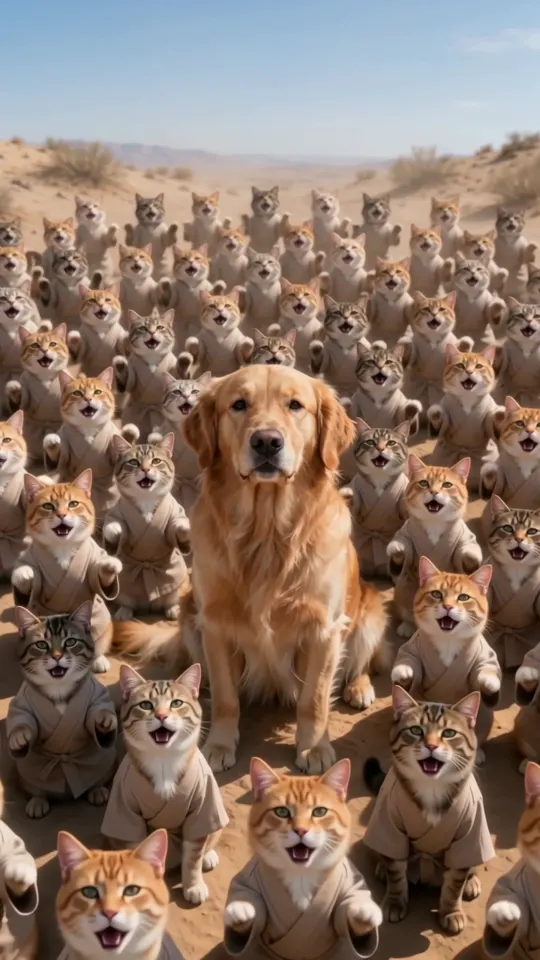 GeneratorClosed on Sunday Pet Choir AICat and dog choirs: which choir to pick for your pet, and pet photo tips.
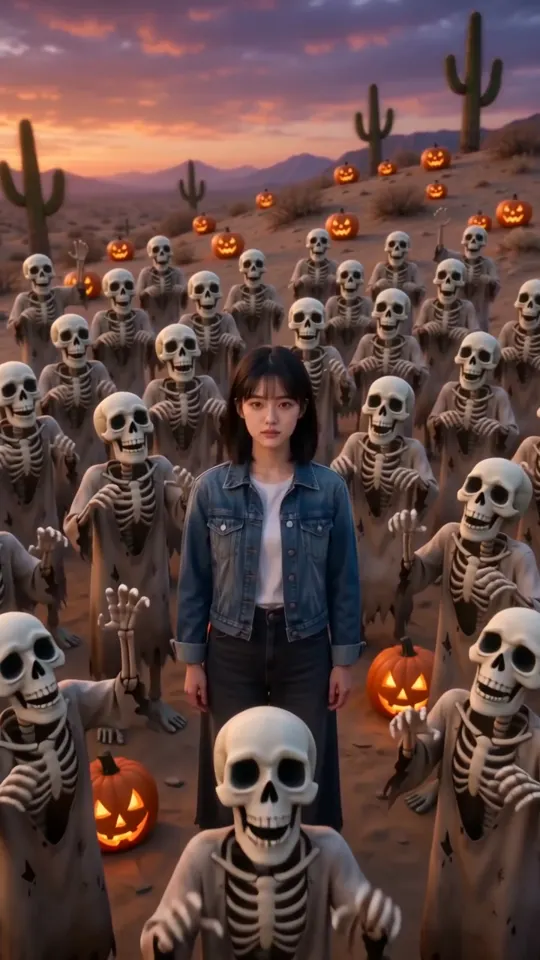 GeneratorHalloween Choir AI: Skeletons, Zombies and Pumpkin HeadsSkeleton, zombie and pumpkin-head choirs for Halloween, with costume tips.