Closed on Sunday AI – Put Yourself in the Choir

One photo in, one 14-second choir video with the original song out. Portrait for TikTok or landscape like the music video.

Upload one photo and Closed on Sunday AI makes a 14-second video, with the original song, of you (or your pet) standing perfectly still in the middle of a huge singing choir: the ending of Kanye West's "Closed on Sunday" music video. Pick one of 12 choirs and 9:16 or 16:9.

1 · Add one photo

1

You (or your pet)

One clear photo of one face. A selfie works. Pets work too.

2 · Pick a choir

The original look: a sunlit desert hill and a sea of beige robes.

3 · Pick a format
4 · Pick quality

9:16 · 720P · 14s · original song · no watermark

Your photo is only used to make your clip.

Example · Classic robes

me standing still while the whole choir goes off

Closed on Sunday AI video examples

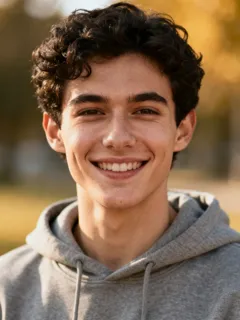
Each clip below is a real 5-second sample from this site, made from one photo with the fixed prompt for that choir, with the original song added the same way as your video. Inputs are AI-generated stock portraits, not real people. Your own video is 14 seconds.

  • me standing still while the whole choir goes off
    Input photo for the Classic robes example

    Classic robes

    The original look: a sunlit desert hill and a sea of beige robes.

  • he did not join the choir
    Input photo for the Pet choir example

    Pet choir

    Your pet sits dead still while cats and dogs in tiny robes sing.

  • the skeletons started singing. I didn't
    Input photo for the Skeletons example

    Skeletons

    Skeletons and zombies sing at dusk with jack-o'-lanterns. Spooky, not gory.

Swipe for more →

What is the Closed on Sunday AI trend?

The Closed on Sunday AI trend remakes one shot: a single figure standing perfectly still in the middle of a huge choir while everyone around them sways, claps and sings.

The shot is the ending of Kanye West's 2019 "Closed on Sunday" music video from the album Jesus Is King, where the Sunday Service Choir fills a desert hillside around him. Starting October 14, 2026, TikTok creators began swapping the person in the middle for themselves, a kitten or a dog, and the choir for cats, skeletons or anything else.

This site does that swap for you. You add one photo, pick one of 12 choirs and a format, and get a 14-second clip where you keep a calm, closed-mouth stare while the crowd goes wild, with the original choir audio already on it.

Closed on Sunday AI in numbers

  • •Input: 1 photo (JPG, PNG or WebP, up to 20 MB). Person or pet.
  • •Output: 14-second MP4, 9:16 portrait or 16:9 landscape, 480P / 720P / 1080P, original song, no watermark.
  • •Cost: 56 / 112 / 224 credits for 480P / 720P / 1080P (8 credits per second at 720P). 120 credits cost $7.99.
  • •Choirs: 12, from classic robes and pets to skeletons, pumpkin heads, angels, penguins, frogs, teddy bears, aliens and grandmas.
  • •Wait: usually a few minutes. Failed renders refund every credit.

How to make a Closed on Sunday AI video

  1. 1

    Add one photo

    A clear, front-facing selfie of one person works best. For the pet choir, use a sharp photo of your pet looking at the camera.

  2. 2

    Pick a choir and quality

    Choose one of 12 choirs, portrait 9:16 or landscape 16:9, then 480P, 720P or 1080P. The scene and camera move are already written, so there's no prompt to type.

  3. 3

    Generate and download

    Your 14-second clip renders in a few minutes with the original "Closed on Sunday" choir audio already on it. Download the MP4 and post.

Why make it here

  • Portrait or landscape

    9:16 fills the screen on TikTok, Reels and Shorts; 16:9 matches the original music video framing for YouTube and X.

  • One photo, no prompt

    The choir, the hill and the slow push-in are already set. You only add a photo.

  • No watermark

    Credits are paid, so the file you download is clean.

  • 12 choirs

    Classic robes, pet choir, Halloween skeletons, cats, dogs, pumpkin heads, angels, penguins, frogs, teddy bears, green aliens and grandmas.

  • Pack credits never expire

    One-time packs stay in your balance until you use them. Plan credits roll over while your subscription renews.

  • Failed? Refunded

    If a render fails, the credits go straight back to your balance.

Posting your choir clip in 3 moves

  1. 1

    Save the MP4

    Hit Download in Your videos. Pick 9:16 for TikTok, Reels and Shorts, or 16:9 for YouTube and X, so there's nothing to crop.

  2. 2

    The song is already on it

    Every clip carries the original choir audio, trimmed to 14 seconds with a fade-out. On TikTok you can keep it, or also tag the "Closed on Sunday" sound so the clip shows up on the sound page.

  3. 3

    Caption the contrast

    Try "me at the family reunion when they start singing" or "my dog refusing to join the choir" plus #closedonsunday #closedonsundayai.

Photo tips so you come through clearly

  • One clear face

    Look at the camera with your face sharp and in focus. Window light beats flash.

  • Only you in the frame

    Crop friends out. One person per photo keeps your face in the centre of the choir.

  • Skip sunglasses and heavy filters

    Sunglasses, masks and beauty filters make the face harder to keep recognizable.

  • Show your outfit

    Waist-up works best. You stand in the choir wearing what's in your photo.

Choose your plan

Put yourself in the choir. Every video is 14 seconds with the original song; choose the credits you need.

Try it out

HD Video

hotel.r035.description.cos_hd_pack

No subscription required. One-time payment.

$7.99one-time

120 credits

credits, never expire

Equivalent to $7.46 per 14s 720P video when all credits are used.

Up to 1 14s 720P choir video

  • No added watermark on your download
  • Credits never expire
Popular

Creator

hotel.r035.description.cos_creator_pack

No subscription required. One-time payment.

$24.99one-time

400 credits

credits, never expire

Equivalent to $7.00 per 14s 720P video when all credits are used.

Up to 3 14s 720P choir videos

  • No added watermark on your download
  • Credits never expire

Annual subscription

Starter

hotel.r035.description.cos_starter_subscription

$7.50/month$14.99

$89.94 · Billed yearly$14.99
4,320 credits

credits upfront for the year

Equivalent to $2.33 per 14s 720P video when all credits are used.

Up to 3 14s 720P choir videos each month

  • No added watermark on your download
  • Buy extra credits during your paid period

Save $89.94 vs 12 monthly payments

Cancel anytime

Creator

hotel.r035.description.cos_creator_subscription

$19.45/month$38.90

$233.40 · Billed yearly$38.90
8,640 credits

credits upfront for the year

Equivalent to $3.03 per 14s 720P video when all credits are used.

Up to 6 14s 720P choir videos each month

  • No added watermark on your download
  • Buy extra credits during your paid period

Save $89.94 vs 12 monthly payments

Cancel anytime

Pro

hotel.r035.description.cos_pro_subscription

$38.45/month$76.90

$461.40 · Billed yearly$76.90
17,280 credits

credits upfront for the year

Equivalent to $2.99 per 14s 720P video when all credits are used.

Up to 12 14s 720P choir videos each month

  • No added watermark on your download
  • Buy extra credits during your paid period

Save $89.94 vs 12 monthly payments

Cancel anytime

Monthly and yearly plans renew automatically at the shown price each billing period until canceled in Account → Billing. Credit packs are one-time purchases.

Monthly subscription

Starter

hotel.r035.description.cos_starter_subscription

$14.99/month

Monthly
360 credits

credits each month

Equivalent to $4.66 per 14s 720P video when all credits are used.

Up to 3 14s 720P choir videos each month

  • No added watermark on your download
  • Buy extra credits during your paid period

Cancel anytime

Creator

hotel.r035.description.cos_creator_subscription

$38.90/month

Monthly
720 credits

credits each month

Equivalent to $6.05 per 14s 720P video when all credits are used.

Up to 6 14s 720P choir videos each month

  • No added watermark on your download
  • Buy extra credits during your paid period

Cancel anytime

Pro

hotel.r035.description.cos_pro_subscription

$76.90/month

Monthly
1,440 credits

credits each month

Equivalent to $5.98 per 14s 720P video when all credits are used.

Up to 12 14s 720P choir videos each month

  • No added watermark on your download
  • Buy extra credits during your paid period

Cancel anytime

Monthly and yearly plans renew automatically at the shown price each billing period until canceled in Account → Billing. Credit packs are one-time purchases.

No subscription required. Every video comes with the original song. Purchased credits never expire and add up across packs.

Every new video is 14 seconds and costs 56, 112 or 224 credits at 480P, 720P or 1080P. The HD Video pack covers one 720P video and the Creator pack covers three.

Closed on Sunday AI FAQ

What is Closed on Sunday AI?

+

Closed on Sunday AI is a web tool that turns one photo into a 14-second video, with the original song, of you standing still in the middle of a singing choir: the scene from the end of Kanye West's 2019 "Closed on Sunday" music video. You pick one of 12 choirs and 9:16 or 16:9.

How much does one video cost?

+

A 14-second 720P video costs 112 credits, and the HD pack of 120 credits is $7.99. 480P costs 56 credits and 1080P costs 224 credits. Plans start at $14.99 a month for 360 credits.

Do new accounts get free credits?

+

No. There are no free credits or trials; every video uses purchased credits, and failed videos are refunded automatically.

Does the video include the song?

+

Yes. Every clip carries the original "Closed on Sunday" choir audio from the end of the music video, trimmed to the clip length with a short fade-out. The person in the middle does not sing.

Can I use my pet?

+

Yes. Pick the pet choir and upload a clear photo of your pet; it sits still in the centre while a choir of cats and dogs in tiny robes sings around it.

What size is the video?

+

Every video is 14 seconds, 9:16 portrait or 16:9 landscape, in 480P, 720P or 1080P, delivered as an MP4 with the original song and no watermark.

How long does a video take?

+

Usually a few minutes. You can close the page; the clip waits for you in Your videos.

What photo works best?

+

A sharp, front-facing photo of one person (or one pet) without sunglasses works best. JPG, PNG and WebP up to 20 MB are accepted.

Is this the official Closed on Sunday or Kanye West app?

+

No. Closed on Sunday AI is an independent fan tool. It is not affiliated with, endorsed by or connected to Kanye West (Ye), Sunday Service or their labels.

Can I upload a photo of someone else?

+

Only if you have the right to use it. Upload photos of yourself, your own pets, or people who agreed; don't upload photos of celebrities or strangers.

Which choirs can I pick?

+

12: classic robes, pet choir (for a pet in the middle), Halloween skeletons and zombies, cats, dogs, pumpkin heads, angels, penguins, frogs, teddy bears, green aliens and grandmas. Each choir has its own fixed scene, and every choir costs the same.

Portrait or landscape: which should I pick?

+

Pick 9:16 portrait for TikTok, Instagram Reels and YouTube Shorts. Pick 16:9 landscape for YouTube, X or to match the original music video. Both cost the same and are 14 seconds long.

Good to know

  • Independent fan tool. Closed on Sunday AI is not affiliated with or endorsed by Kanye West (Ye), Sunday Service or any label.
  • Original song, generated picture. The audio is the original choir section from the end of the music video; every frame of the picture is AI-generated, with no footage from the video.
  • Your photo rights. Only upload photos you own or have permission to use. Photos are used only to make your clip.
  • AI results vary. Likeness, crowd movement and framing can differ from run to run, and the examples are illustrations.